
3 KiB

There are no extra prerequisites to start using these badges. Simply copy the 'Markdown Code' of the badge that you'd like an paste it into your Markdown file.
Here's an example:
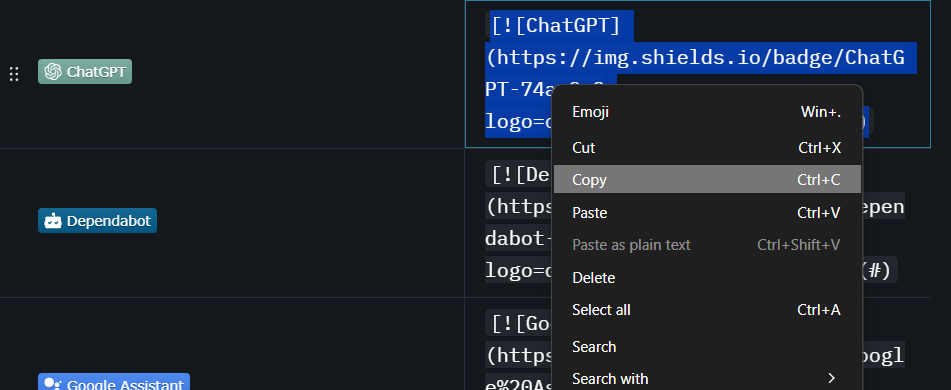
Step 1: Copying the Markdown Code

Step 2: Pasting the Markdow into your file.
💡 Use 'Ctrl + F' or the Table Of Contents to search quickly for your badge. 💡
🤔 FAQ
Q: Why won't my badge lead anywhere?
View Answer:
By default, (mostly) all badges have (#) at the end of their code to define a link.
You need to replace the (#) with a link that you'd like the badge to go to when clicked on.
For example, if the code is:
[](#)
...you'll need to replace the (#) with a link (eg. https://github.com/inttter).
If the code is a dynamically updating badge such as this one:
[](https://github.com/badges/shields/releases)
You must replace 'saadeghi' with your GitHub username/organization, and 'daisyUI' with your repository name. This includes the redirect URL aswell.
Q: Can I customize these badges?
View Answer:
Yes, please refer to the Styles and Customization documentations for how to style and customize your badges.
Q: Can I use badges on any repository hosting platform?
View Answer:
As long as they support Markdown rendering, you can.
If you need more info, consult the help page for your platform.
Q: Do these only work in Markdown?
View Answer:
No, you can also use them in HTML, by using <a> tags to link to a website, and <img src> tags to display the badge.
Here's how you may format it if you were to link the badge to a website inside of a HTML file:
<a href="https://kotlinlang.org">
    <img src="https://img.shields.io/badge/Kotlin-%237F52FF.svg?logo=kotlin&logoColor=white" alt="Kotlin">
</a>
Result:
